A reading guide to this creator’s covered conversations.
Kevin Stratvert's channel delivers structured, step-by-step software tutorials designed to help beginners master essential productivity tools, design platforms, and enterprise applications.
Powerpoint Smartart List Conversion · Emerging1 episodes · 10%
Powerpoint Slide Recording and Video Export · Emerging1 episodes · 10%
Powerpoint Slide Master Global Styling · Emerging1 episodes · 10%
ABOUT THIS CREATOR
About
Kevin Stratvert's channel delivers structured, step-by-step software tutorials designed to help beginners master essential productivity tools, design platforms, and enterprise applications. Across episodes covering Microsoft 365 apps, web builders, automation tools, and 3D modeling software, the programming focuses on actionable efficiency gains and practical workflows. The instructional design breaks down complex features into digestible visual demonstrations, emphasizing built-in automation, cloud synchronization, and template customization. By highlighting concrete keyboard shortcuts, formatting controls, and integration strategies, the coverage empowers users to transition from manual tasks to streamlined digital operations. Each tutorial maintains a consistent focus on accessible capability-building without requiring deep prior technical expertise.
Presentations emphasize connecting distinct productivity tools, such as embedding SharePoint sites into Microsoft Teams or linking Google forms to spreadsheets.
Cross-platform workflows ensure users understand how individual files and databases interact within wider enterprise and e-commerce ecosystems.
Browse covered conversations, newest original releases first.
Blender Tutorial for BeginnersJul 22, 2025 · 33 min+
This beginner-friendly tutorial walks through the fundamentals of Blender, covering interface navigation, 3D object creation, shading, texturing, lighting, and final rendering. Using the creation of a 3D chocolate chip cookie and tray as a practical project, the guide explains core workflows such as manipulating axes, utilizing edit mode for modeling details, linking material properties across duplicates, and configuring the Cycles render engine.
Read episode summary How to Use Microsoft Copilot Studio (Step-by-Step Tutorial)Jul 9, 2025 · 20 min+
Microsoft Copilot Studio enables organizations to build custom, task-specific AI agents using natural language without writing code. The tutorial demonstrates how to create a customer service bot, connect proprietary document sources and enterprise databases, integrate third-party tools for automated workflows, configure event-driven triggers, and publish across multiple channels while tracking performance via activity maps.
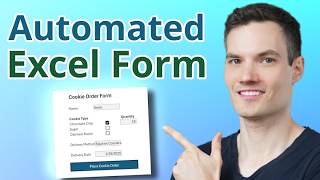
Read episode summary How to Make an Automated Data Entry Form in Excel (Step-by-Step Tutorial)Jan 30, 2025 · 30 min+
Building an automated data entry form in Microsoft Excel streamlines response collection without requiring advanced programming knowledge. The tutorial walks through designing a professional template from scratch, incorporating visual elements like custom logos, checkboxes, dropdown lists via data validation, and conditional formatting to dynamically display input fields. It then demonstrates how to record and assign macros to archive form entries automatically into a separate tracking sheet, followed by locking down workbook structure and worksheet cells to prevent unauthorized edits.
Read episode summary Microsoft SharePoint Tutorial for Beginners (Step-by-Step Guide)Jan 24, 2025 · 29 min+
This tutorial provides a step-by-step guide to setting up and managing Microsoft SharePoint team sites for collaborative enterprise projects. It covers site creation, configuring private and public permissions, adding custom metadata columns, building structured project tracking lists, integrating AI Copilot for document reasoning, and embedding SharePoint repositories directly into Microsoft Teams.
This beginner-level tutorial provides a step-by-step walkthrough of foundational Microsoft Word features, covering document creation from blank canvases or free templates, text styling via the ribbon, and productivity tools like the format painter. It details practical mechanics for inserting tables, managing images with text wrapping, handling headers and footers, and utilizing dictation and find-and-replace utilities. Finally, the guide explains how to build automated tables of contents, track revisions during collaborative editing, and securely share or export files via OneDrive or PDF formats.
Kevin Stratvert presents a beginner-friendly tutorial on Make.com, demonstrating how to build an automated workflow connecting Google Forms, Google Sheets, email notifications, and Microsoft Teams. The video walks through setting up triggers, filtering out-of-region orders, mapping dynamic data fields between disparate applications, and scheduling automated runs to eliminate manual data entry.
This tutorial provides a comprehensive introduction to Figma, demonstrating how to build, prototype, and share user interface designs. The session walks through foundational workflows—including file organization, responsive design techniques using constraints and auto layout, and the use of components for modular consistency—positioning Figma as an accessible tool for individual projects and collaborative teams.
Read episode summary How to Use Shopify for Beginners - Crash Course TutorialJan 12, 2024 · 32 min+
Setting up an online store on Shopify requires configuring products, pricing margins, custom themes, and payment processing without writing code. Kevin demonstrates this by building a storefront for the fictional Kevin Cookie Company, walking through AI-assisted product descriptions, inventory tracking, variant options, and tier-based platform pricing. The tutorial highlights how small-business owners can leverage built-in e-commerce infrastructure to launch, brand, and scale direct-to-consumer operations.
Building a functional website without coding knowledge is accessible through open-source content management systems like WordPress, which powers nearly half of all online websites. This tutorial demonstrates how to set up a site using managed hosting on WordPress.com, design layouts using top-down modular block patterns, and configure responsive mobile views. The guide further distinguishes between dynamic time-sensitive posts and static informational pages, illustrating how to structure site navigation, map URLs, and publish a live business web presence.
This tutorial demonstrates core Microsoft PowerPoint features and navigation workflows for building professional presentations from scratch. It covers essential techniques ranging from cloud saving and slide master customization to AI-driven layout suggestions, object layer management, and advanced animation effects like morph transitions. Additionally, the guide explains how to rehearse with automated feedback, utilize dual-monitor presenter views, and record narrations for video export.